Profit analytics · TikTok Shop
Know what you
actually keep.
Margilla pulls every fee and payout from your TikTok Shop, subtracts your real costs, and shows your true profit — today, this week, this month.
- Every TikTok fee, from settlements
- Product costs per SKU
- Ads profitability
- Inventory planning
- Refund & return costs
- Team access & roles
Every feature included · Billed monthly or yearly · Cancel anytime
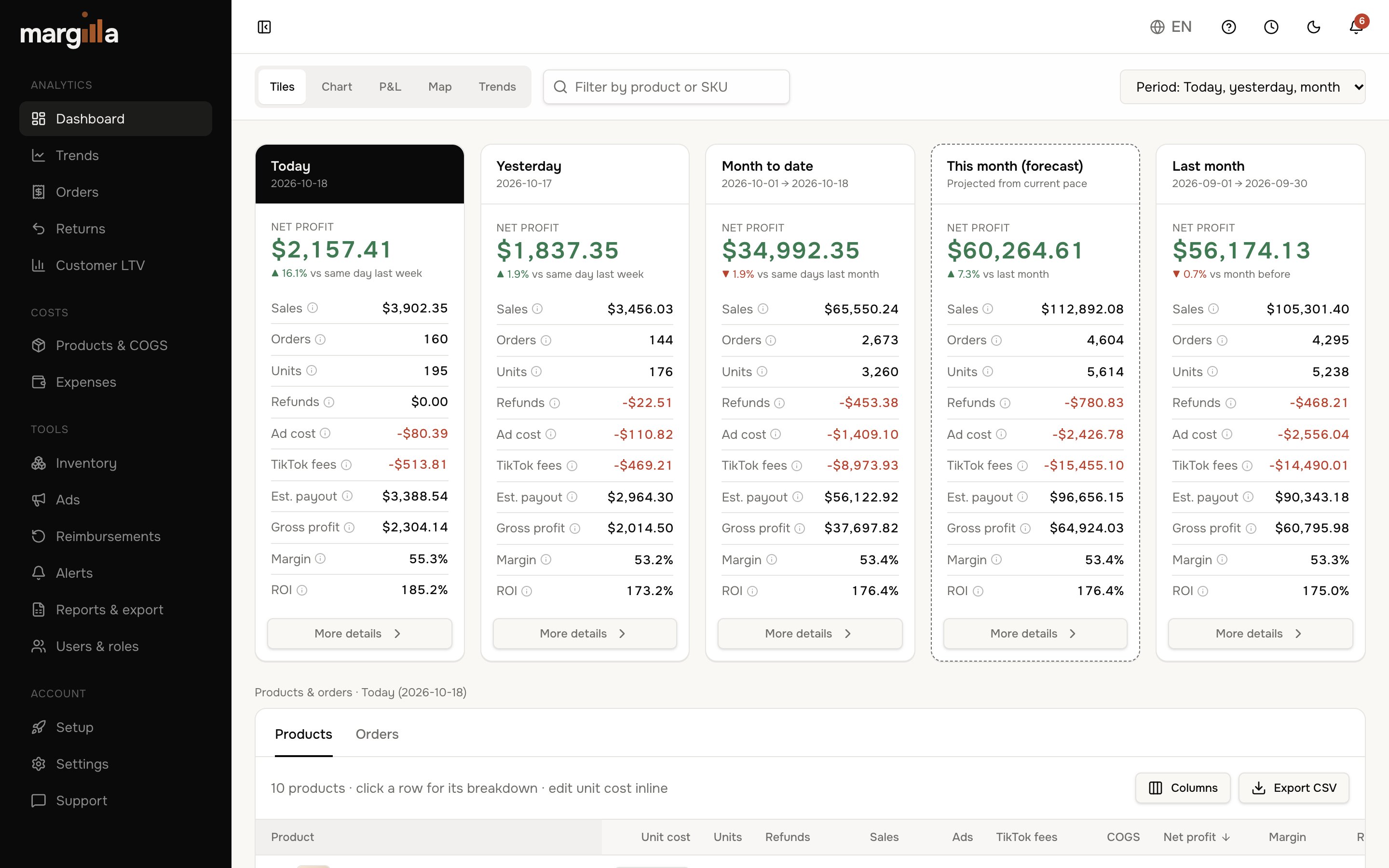
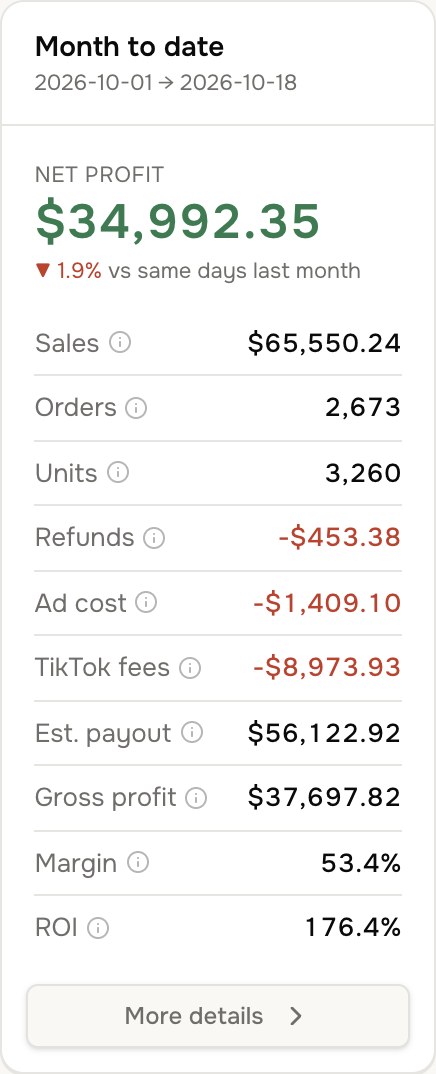

Every cost, tracked automatically
Inside Margilla
The real dashboard, not a mockup
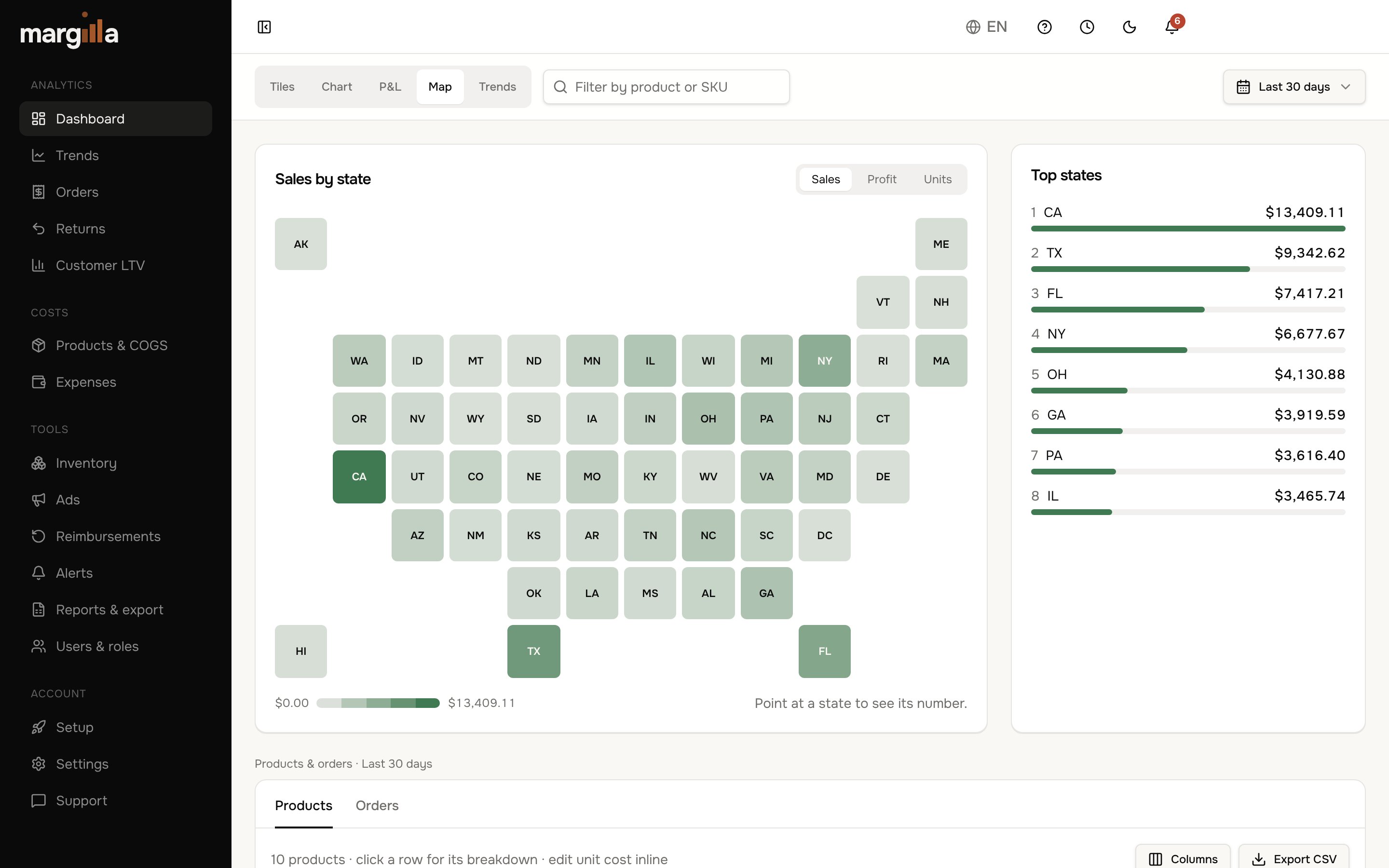
These are screenshots of the Margilla dashboard you get on day one.
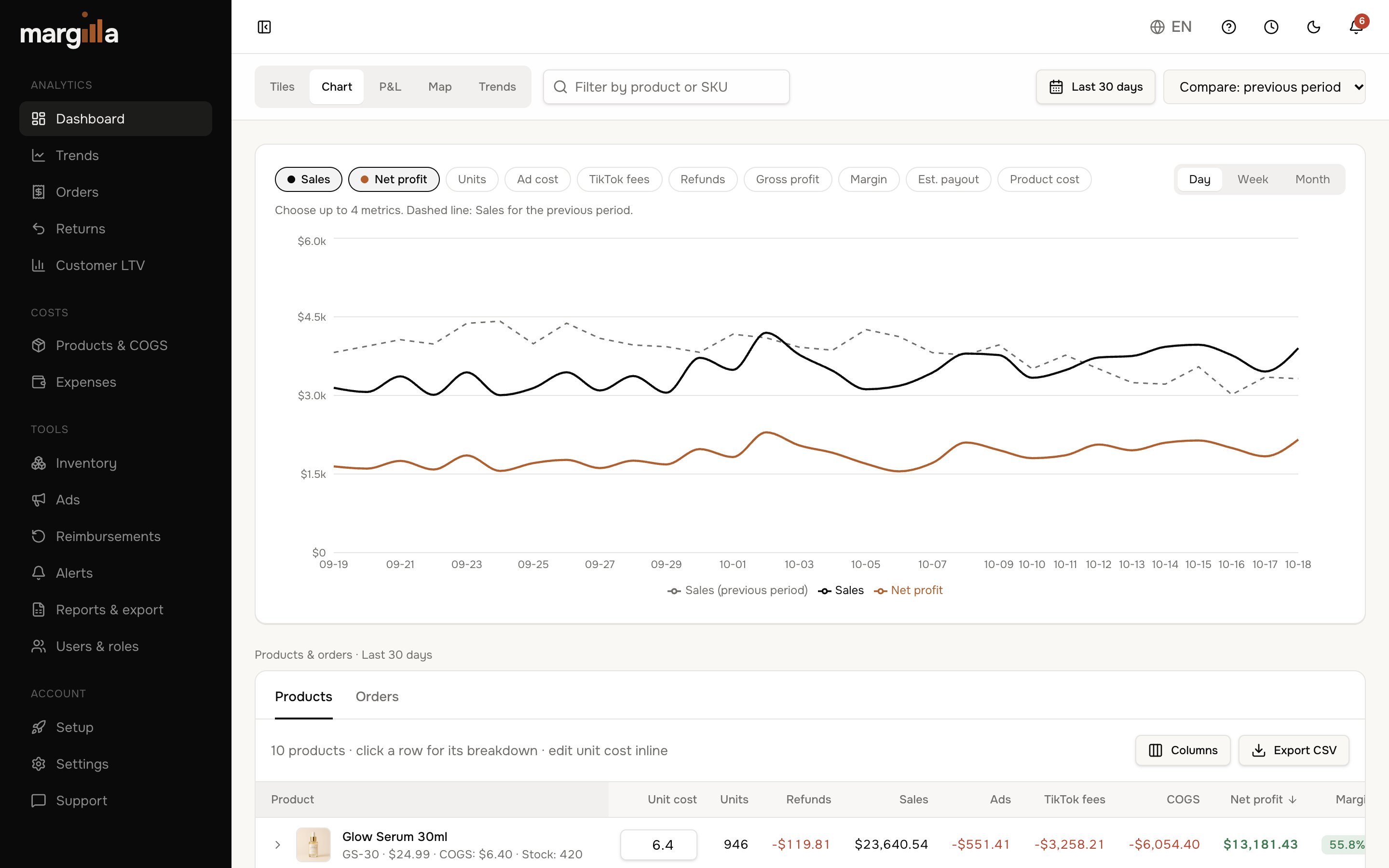
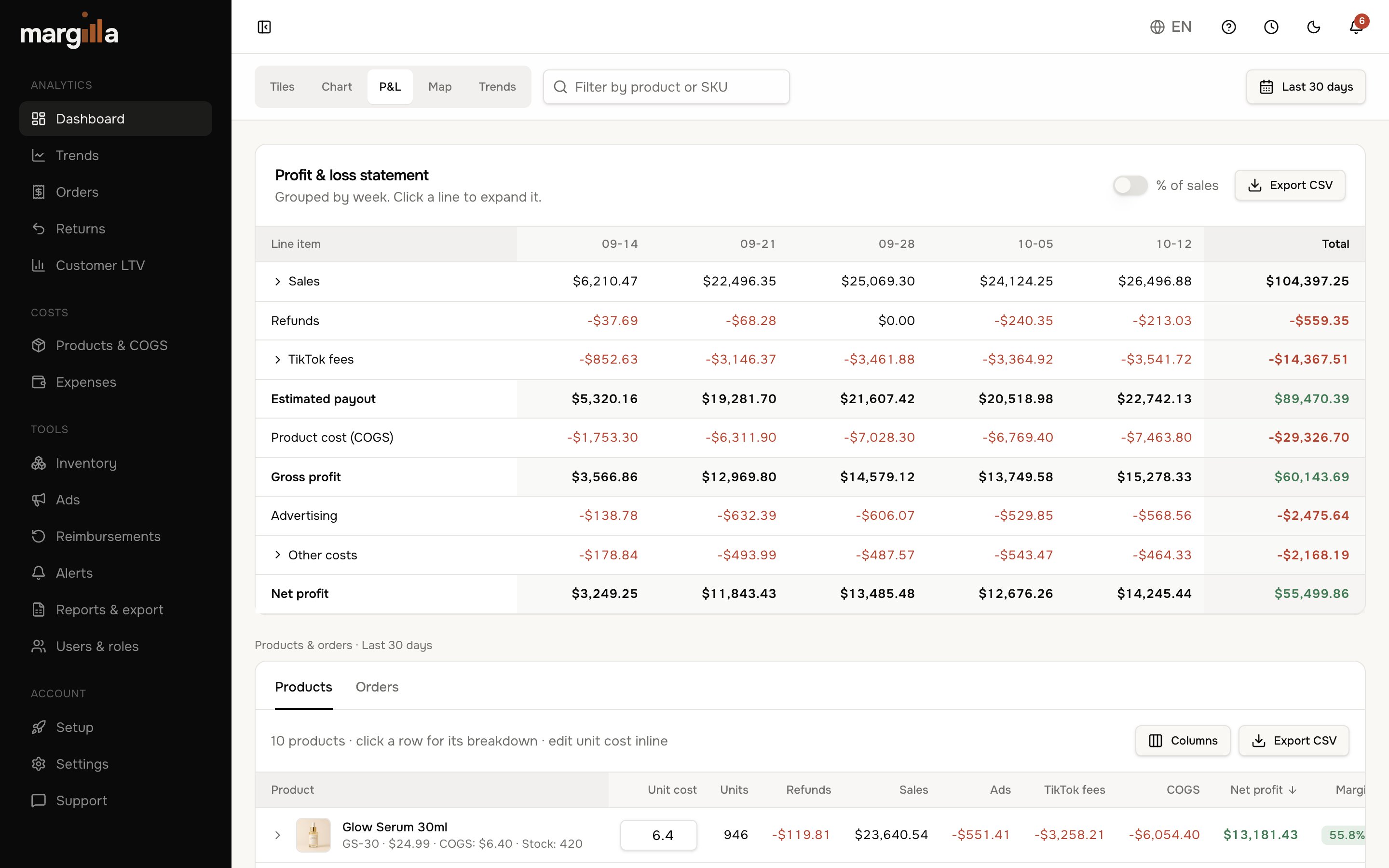
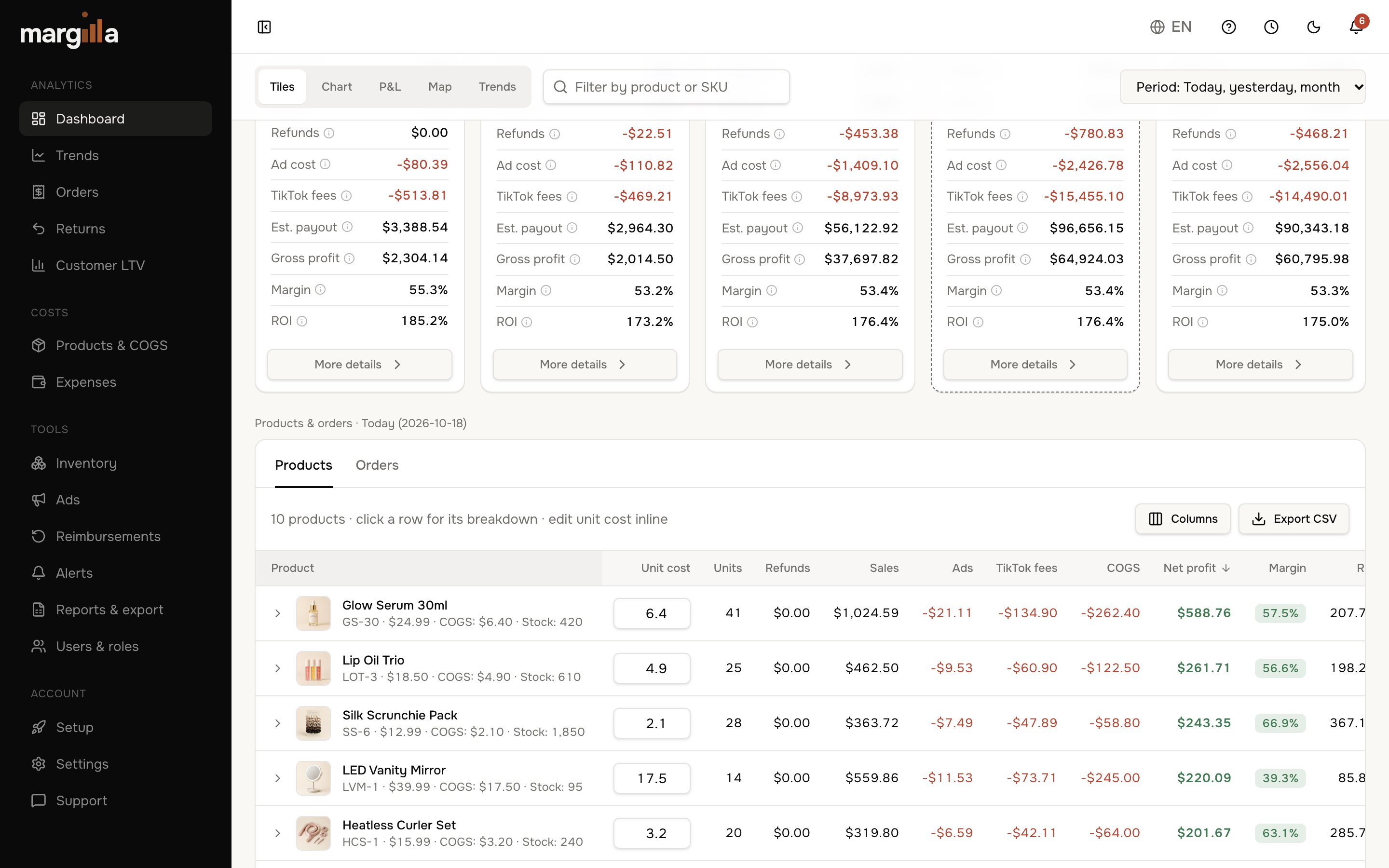
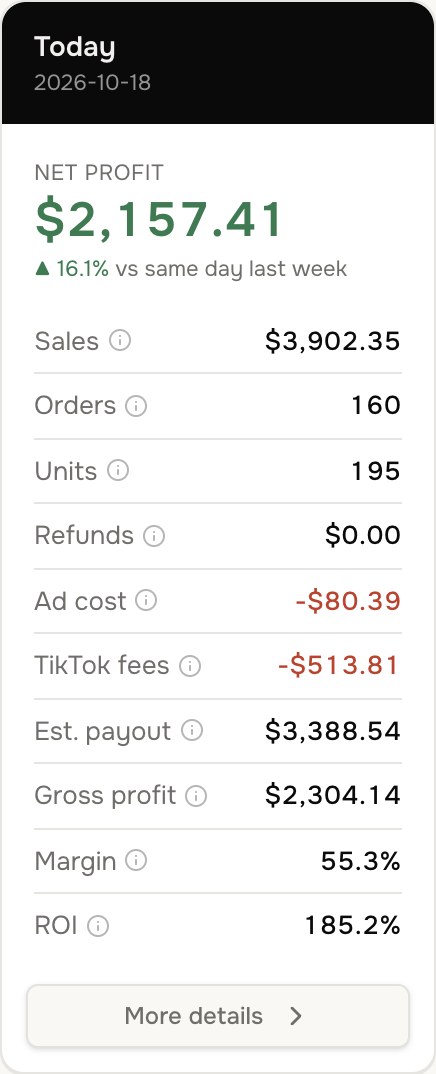
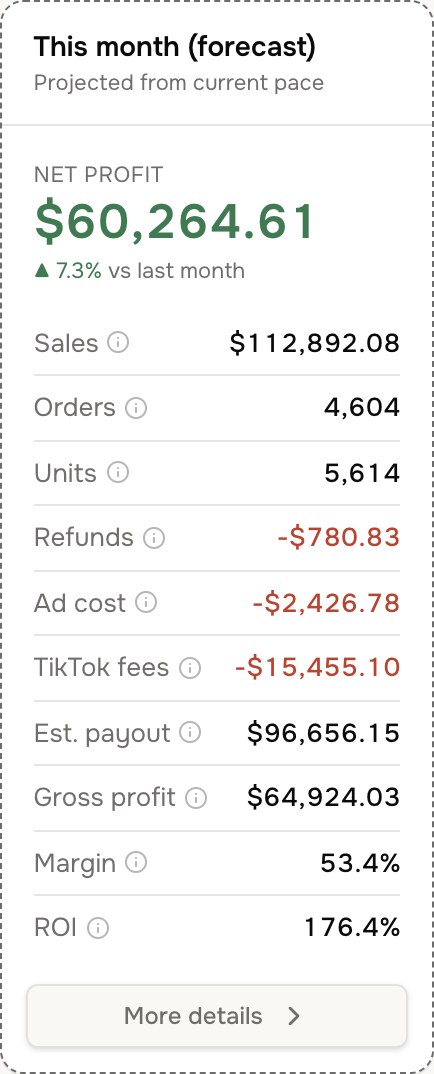
Today, yesterday, month-to-date and forecast — at a glance
12+
fee types tracked per order
13
tools in one dashboard
4
plans, pick by order volume
$15/mo
starting price, billed annually
How it works
Set up in three minutes
Step 1
Connect your shop
Secure, read-only TikTok Shop connection: approve it on TikTok in a few clicks.
Step 2
Add product costs
Enter what each product costs you once — update it any time.
Step 3
Know your numbers
Profit updates automatically — every 30 seconds while your dashboard is open.
Accurate profit analytics, from TikTok's own numbers
Most TikTok sellers only see payouts. Margilla shows you why the payout is what it is.
Account for every dollar TikTok takes
Commission, processing, affiliate payouts, shipping, vouchers and refunds — pulled straight from every TikTok settlement, not estimated.
See it in the demo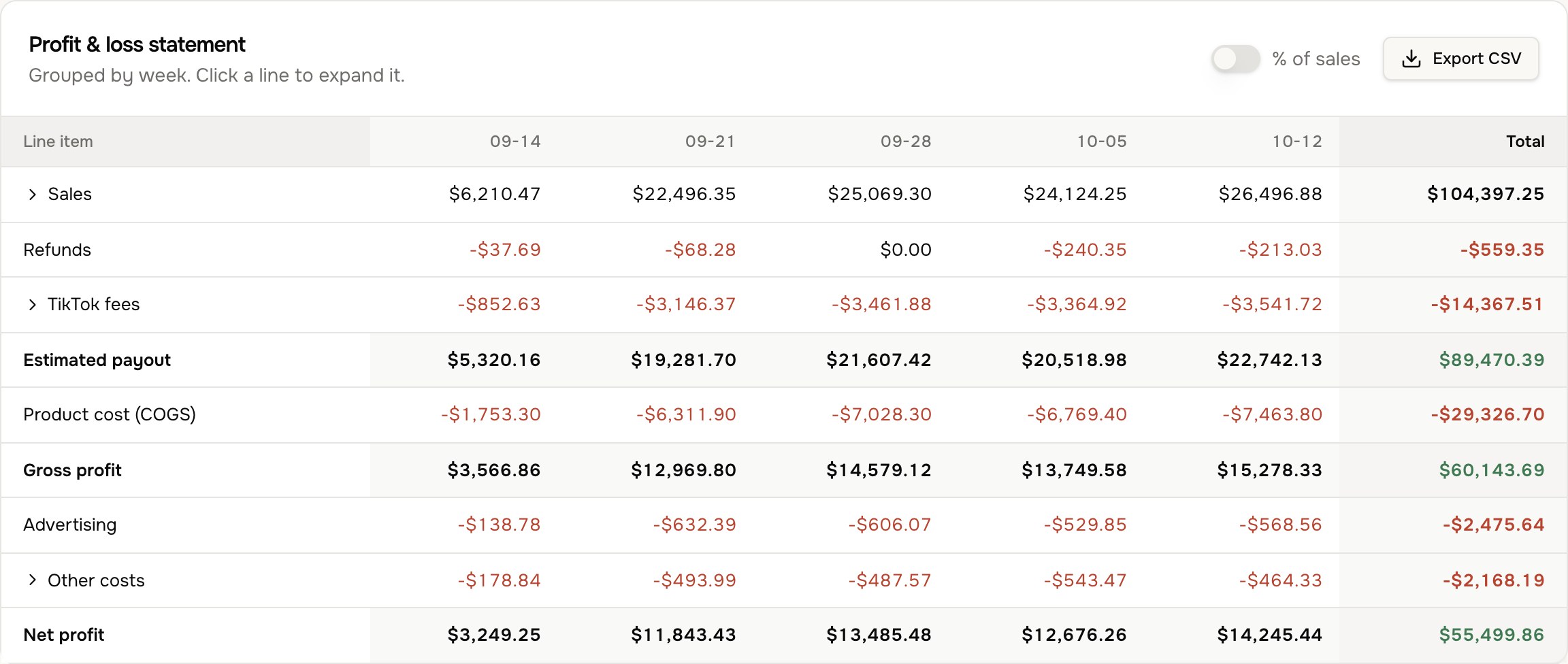
Product costs that stay accurate
Enter what each SKU costs you once, right in the products table. Margilla applies it to every unit sold, and you can update it any time your supplier price changes.
See it in the demo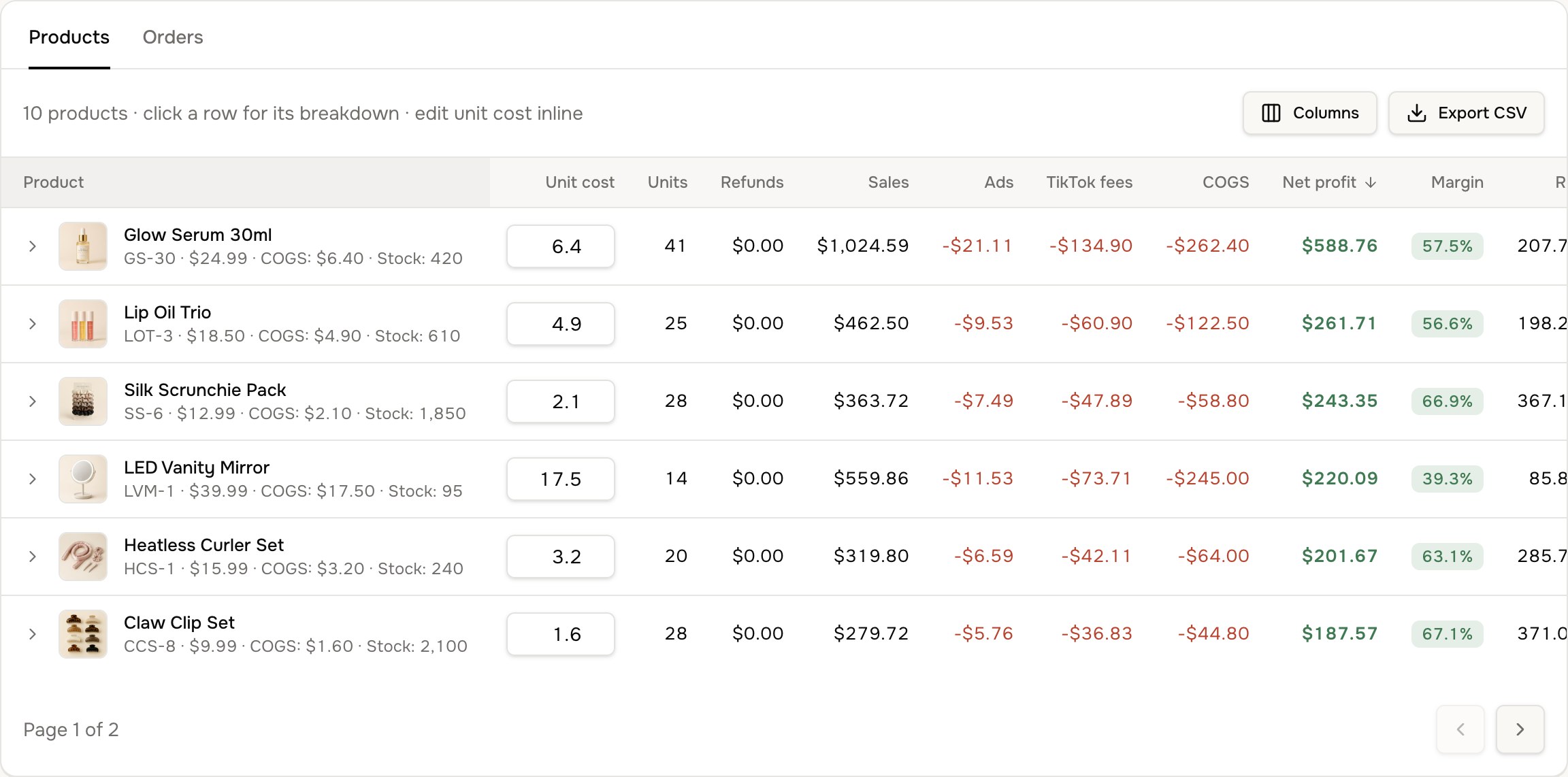
Spot what's rising before it's obvious
Week-by-week heatmaps show which products are gaining or slipping in units, revenue, profit and margin.
See it in the demo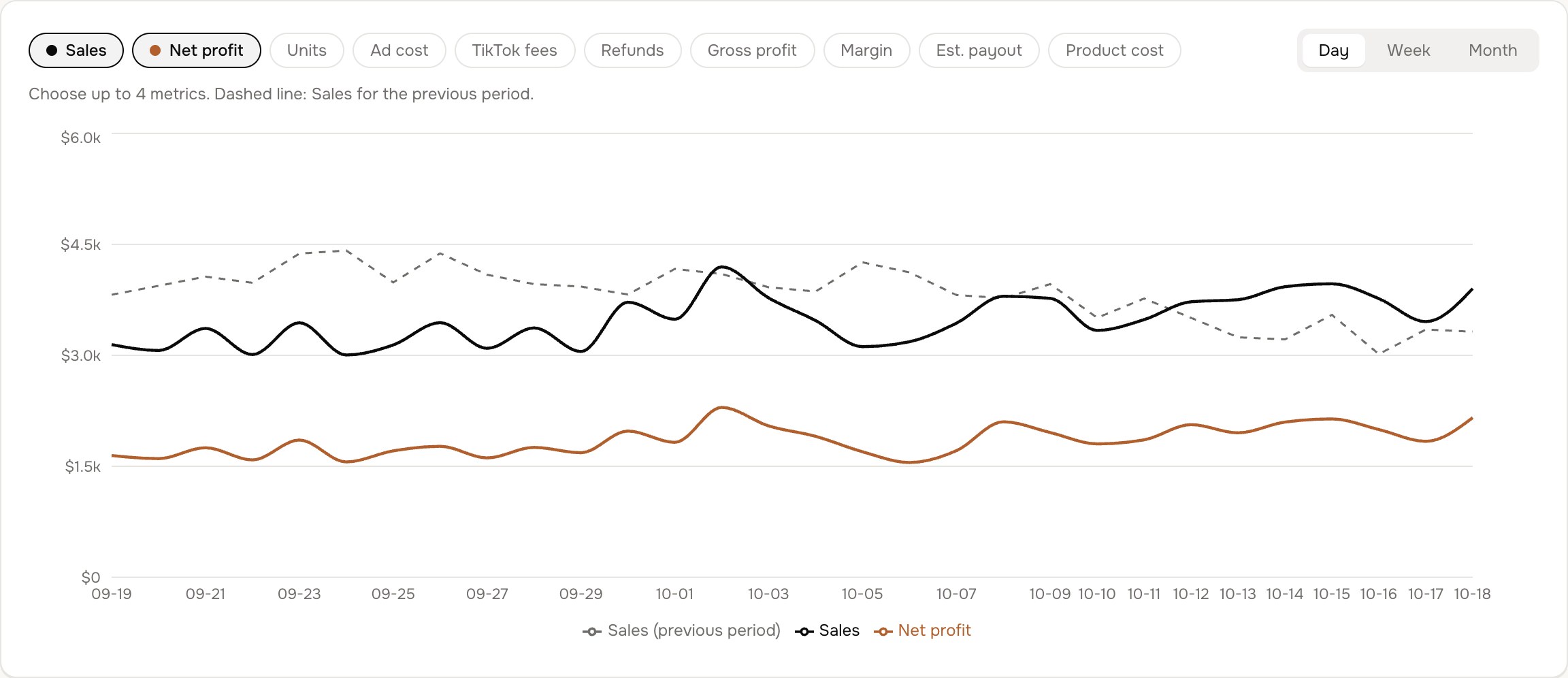
The costs nobody else counts
See return reasons and what each return cost you in refunds, and spread rent, staff and software across every day — so profit is complete.
See it in the demoIncluded on every plan
The rest of the toolkit.
Beyond profit: the tools sellers use every day to keep stock moving, ads paying off and money coming back.
- 01
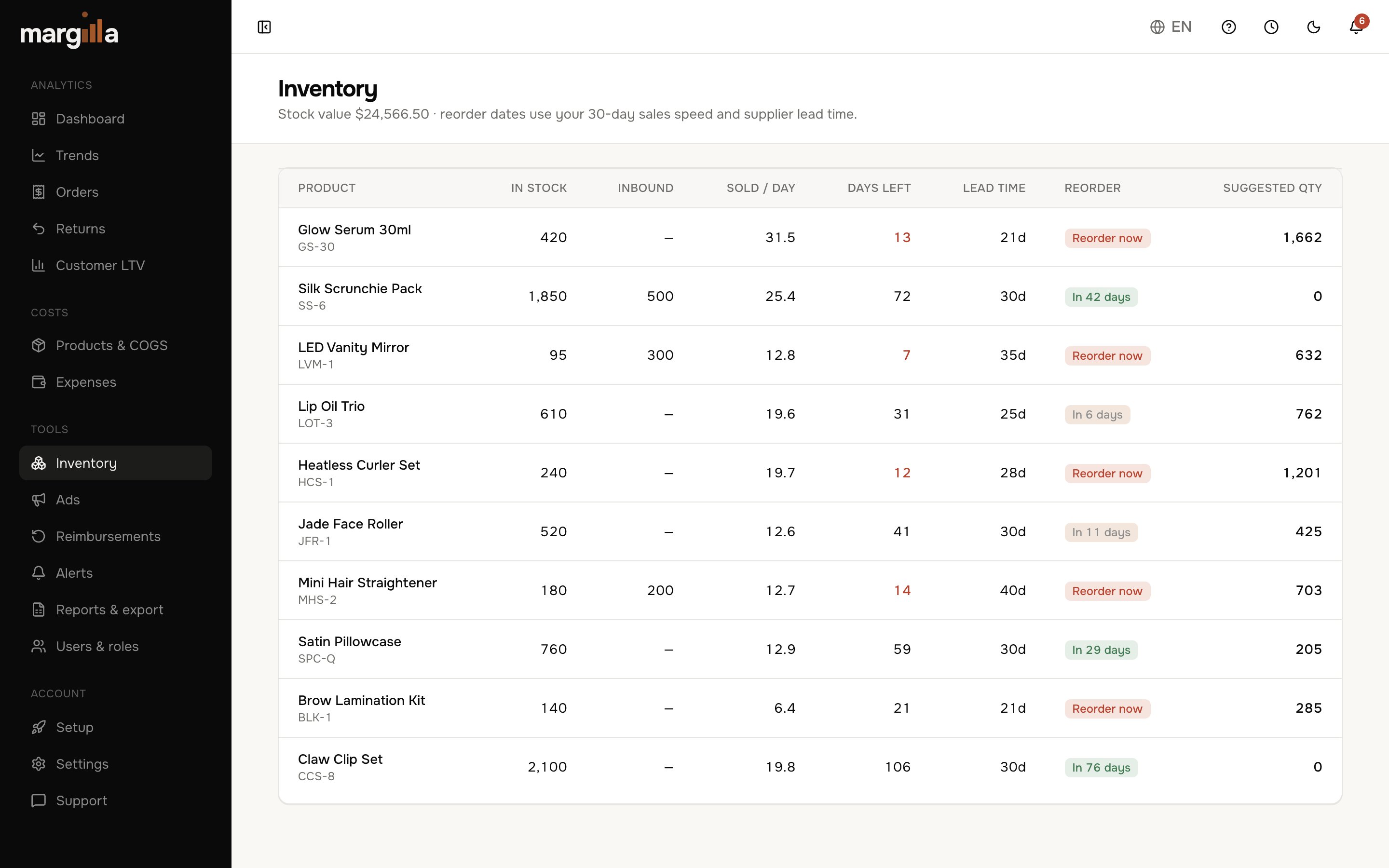
Inventory planning
Days of stock left, reorder dates and quantities from your sales speed and supplier lead time.
- 02
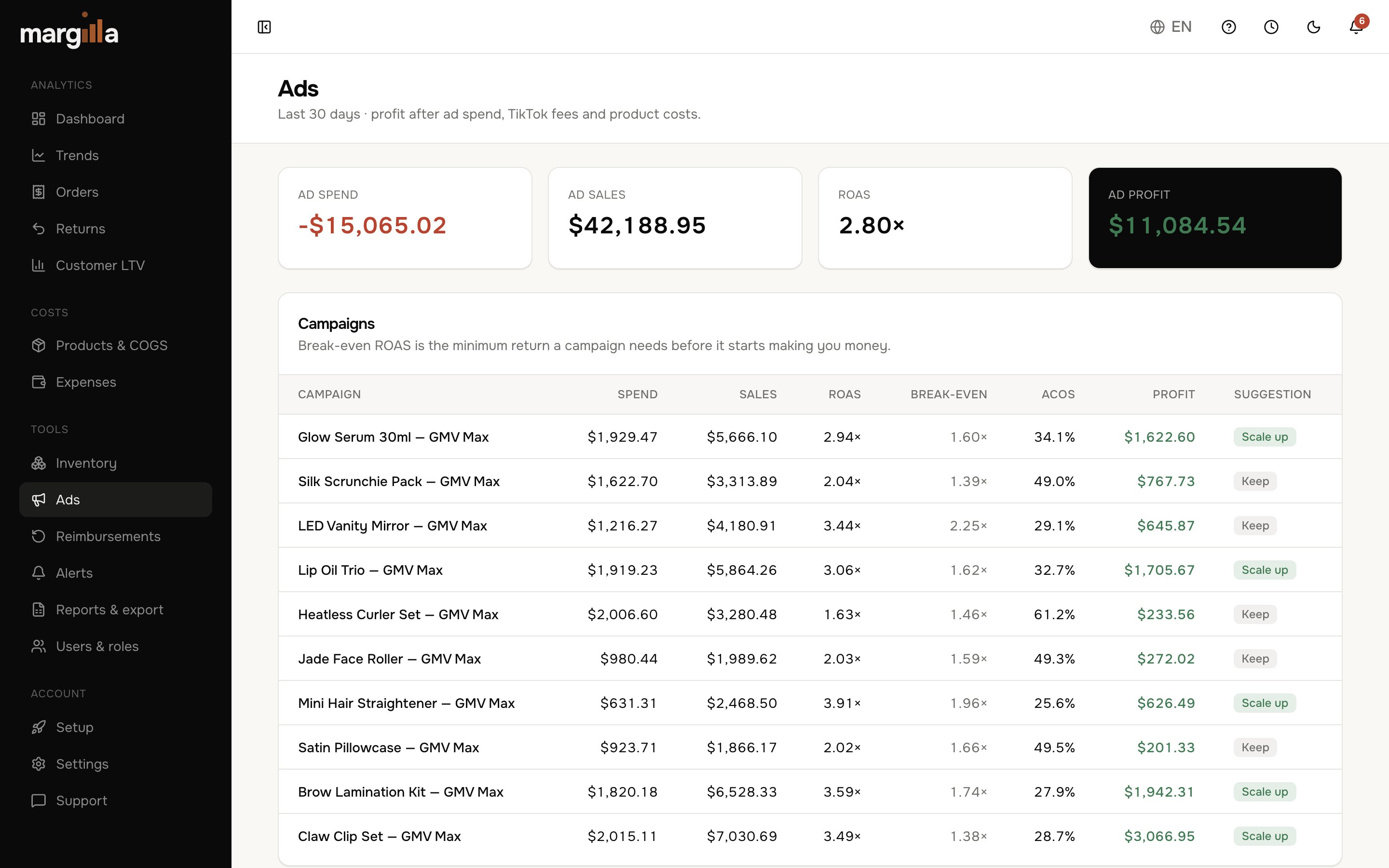
Ads profitability
Ad spend against your real sales: ROAS each month, and profit after ads on every dashboard view.
- 03
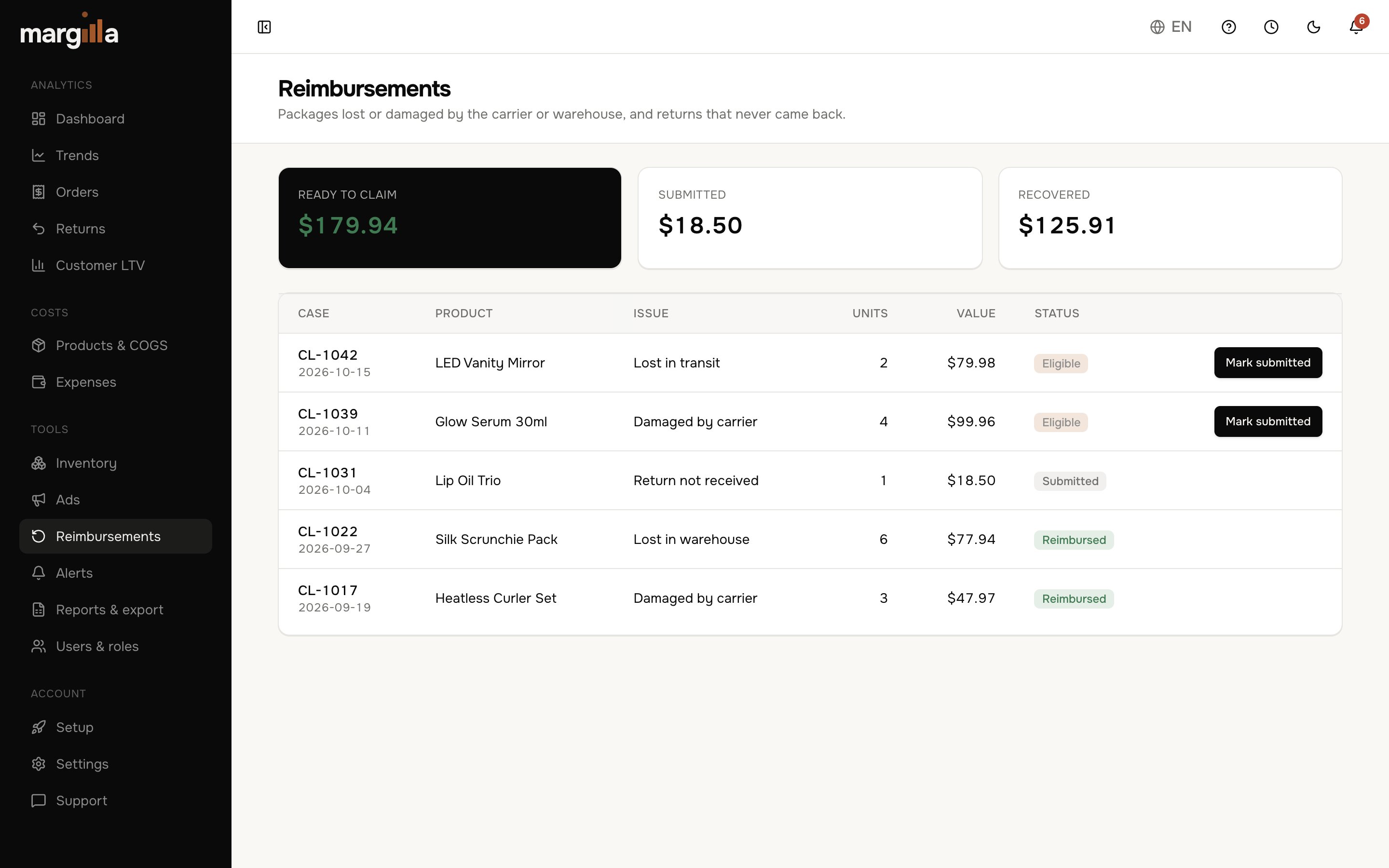
Reimbursements
Every compensation and deduction TikTok made in your settlements, in one list — so you see what's been paid back.
- 04
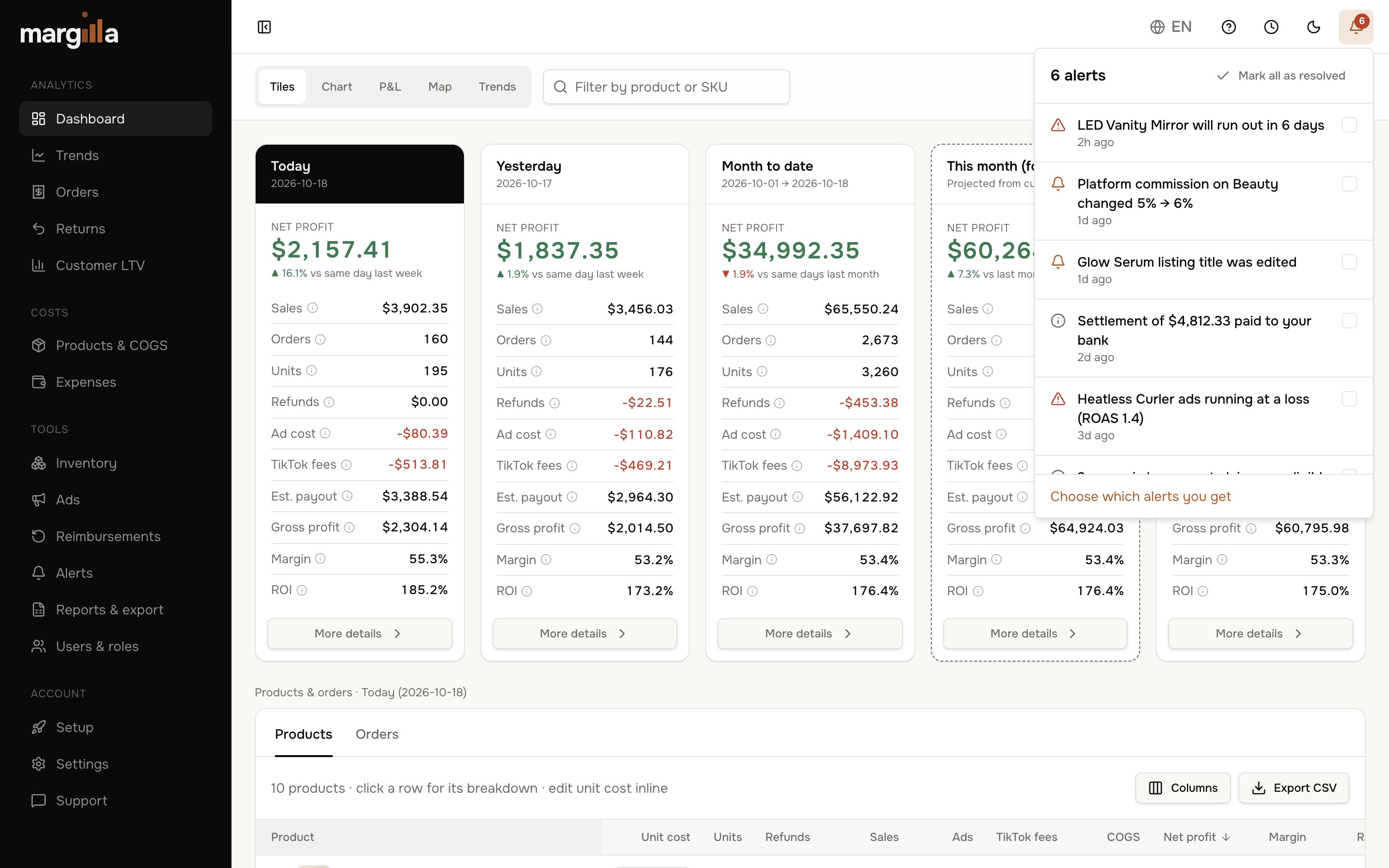
Smart alerts
Low stock, fee changes, listing edits and loss-making ads, flagged the moment they happen.
- 05
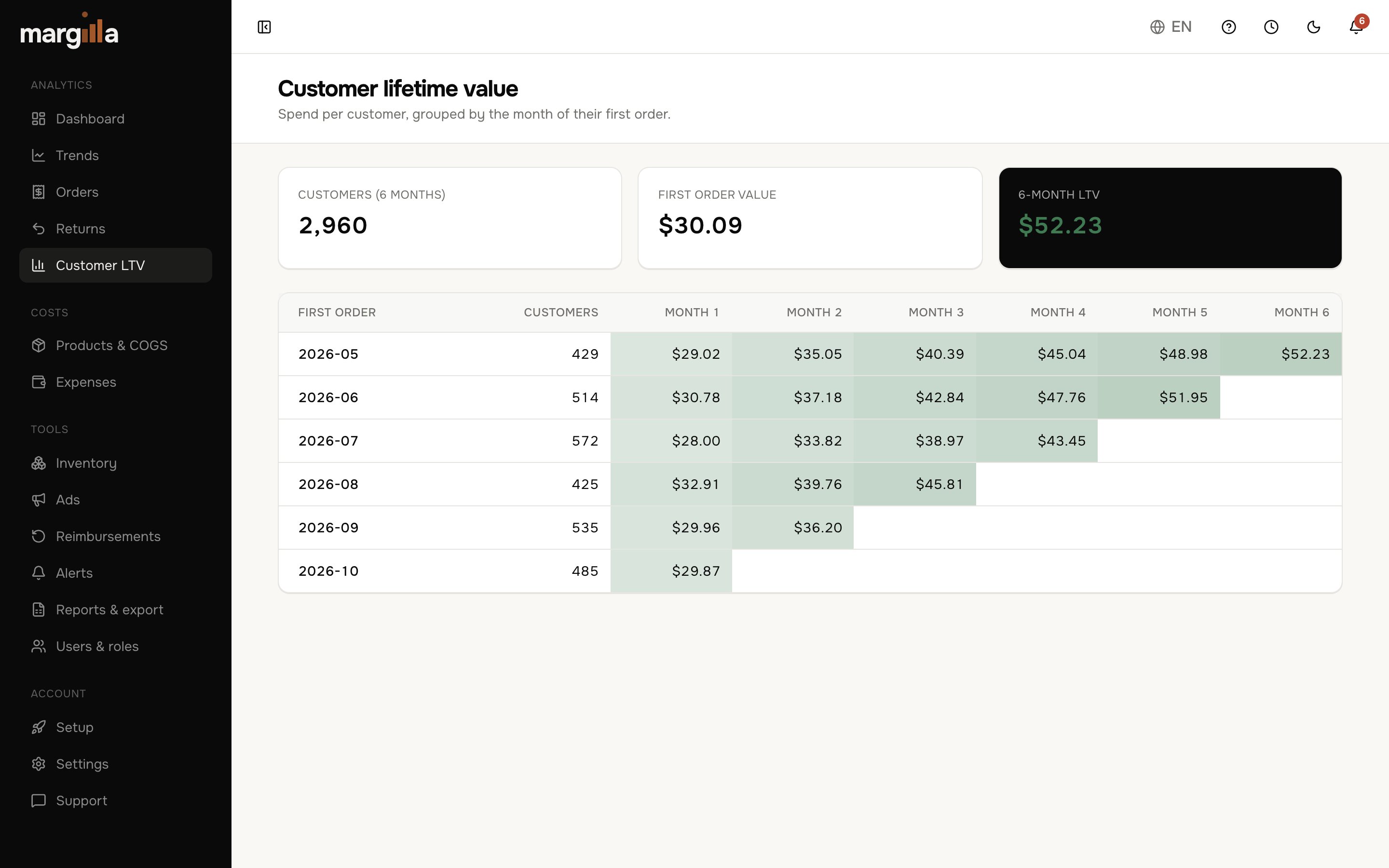
Customer LTV
See how much each group of customers spends in the months after their first order.
- 06
Users & roles
Invite your team, VA or accountant with exactly the access they need.
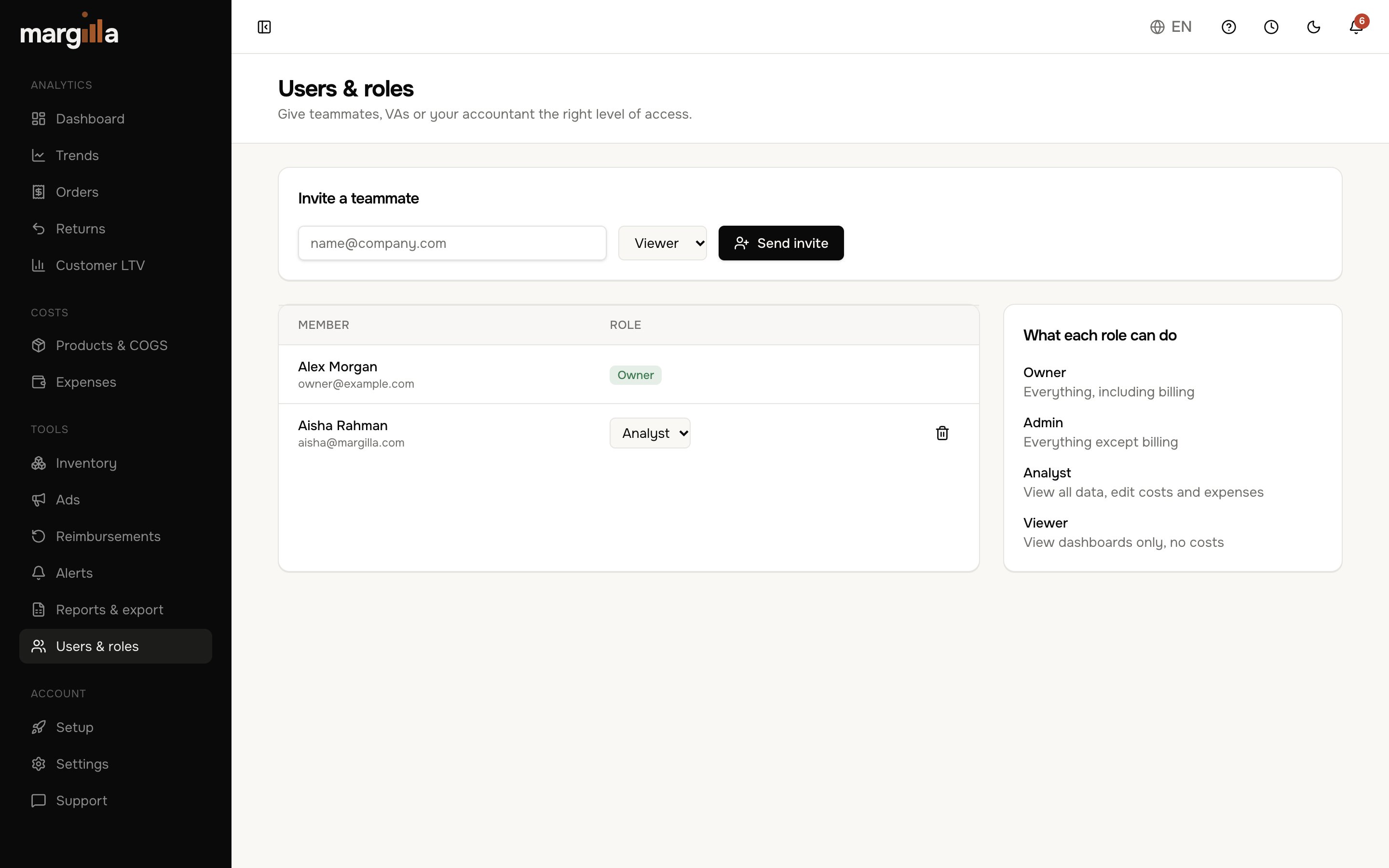
- Plus spreadsheet exports, daily and weekly profit emails, and expense tracking.
Questions, answered
Margilla uses TikTok's official, read-only connection. We can see orders and finance data, but we can never edit listings, prices or anything in your shop.
Your plan is billed from the day you subscribe — monthly or yearly, in advance. Cancel any time and you keep access until the end of the paid period.
We read the settlement data TikTok actually pays you — not fee percentages or estimates — and combine it with your orders, refunds and product costs.
Yes. Professional supports 2 shops, Business 4, and Enterprise 8, all in one dashboard.
Update the unit cost in your products table and Margilla uses the new cost from then on.
Start today
Stop guessing.
Start knowing.
Connect your TikTok Shop and see your real profit in minutes. Billed from day one, cancel anytime.
Every feature
Full access to every tool on every plan.
Card required
Billed from today, cancel anytime.
Cancel anytime
One click from settings, no calls.
Read-only access
We can never edit your shop.